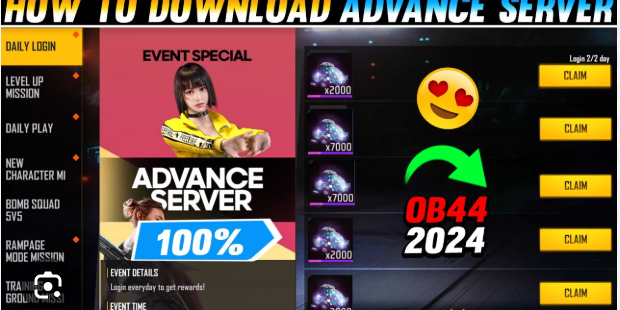
How to Download Free Fire Advance Server for Android

September 01, 2025
Free Fire players are always eager to get their hands on the latest features, characters, and gameplay updates before they officially launch. The Free Fire Advance Server makes this possible by offering exclusive early access to upcoming content. This special testing environment allows selected players to experience new features, provide feedback, and help developers refine the game before global release.
If you're wondering how to download and access the Free Fire Advance Server on your Android device, this comprehensive guide will walk you through everything you need to know. From understanding what the advance server offers to successfully installing it on your phone, we've got you covered.
What is Free Fire Advance Server?
The Free Fire Advance Server is a beta testing platform created by Garena specifically for Free Fire enthusiasts. This exclusive server gives players early access to upcoming features, new characters, weapons, maps, and game modes before they become available in the main game.
Unlike the regular Free Fire game, the advance server operates on a limited-time basis and requires special registration. Players who gain access can test new content, report bugs, and share feedback that directly influences the final version released to all players worldwide.
The advance server typically opens for a few days during each testing period, usually before major updates. During these periods, registered players can download the APK file and experience content that won't reach the main servers for weeks or months.
Key Benefits of Free Fire Advance Server
Exclusive Early Access
Players get to experience new characters, weapons, and game modes weeks before their official release. This early access allows you to familiarize yourself with upcoming changes and gain a competitive advantage when features launch globally.
Free Rewards
Participants often receive exclusive rewards, including diamonds, skins, and other in-game items as compensation for their testing efforts. These rewards are typically transferred to your main Free Fire account after the testing period ends.
Direct Impact on Game Development
Your feedback during the testing phase directly influences how features are refined and balanced before official release. Developers actively monitor player responses and make adjustments based on community input.
How to Register for Free Fire Advance Server
Step 1: Visit the Official Website
Navigate to the official Free Fire Advance Server registration website. Garena typically announces registration periods through their official social media channels and in-game notifications.
Step 2: Log in with Your Account
Use your existing Free Fire account credentials to log in. The system will verify your account status and gaming activity to determine eligibility.
Step 3: Complete the Registration Form
Fill out the required information, including your player ID, server region, and device specifications. This information helps developers ensure compatibility and balanced testing distribution.
Step 4: Wait for Confirmation
Registration doesn't guarantee access, as slots are limited. If selected, you'll receive a confirmation email with download instructions and access details.
Free Fire Advance Server Download Process
Download Requirements
Before attempting to Download Free Fire Advance Server for Android, ensure your Android device meets these requirements:
- Android 4.1 or higher
- At least 2GB RAM
- 2GB free storage space
- Stable internet connection
Installation Steps
Once you receive access confirmation, follow these steps to download and install the advance server:
- Enable Unknown Sources: Go to Settings > Security and enable "Unknown Sources" to allow APK installations
- Download the APK: Use the official download link provided in your confirmation email
- Install the Application: Locate the downloaded APK file and tap to install
- Launch and Log In: Open the advance server app and log in with your registered account
Important Considerations
Limited-Time Access
The Free Fire Advance Server operates only during specific testing periods. Outside these windows, the application won't function, and servers remain offline.
Separate Progress
Progress made in the advance server doesn't transfer to your main Free Fire account. Consider this a testing environment where you can experiment freely without affecting your main game statistics.
Feedback Responsibility
As a tester, you're encouraged to report bugs, glitches, and provide feedback on new features. This responsibility helps improve the overall gaming experience for the entire Free Fire community.
Making the Most of Your Access
Take advantage of your advance server access by thoroughly testing new features and providing detailed feedback. Explore every aspect of new content, from gameplay mechanics to visual elements. Document any issues you encounter and share constructive suggestions through official channels.
Remember to capture screenshots or videos of interesting new features to share with friends who didn't receive access. However, always respect any content sharing guidelines provided by Garena.
The Free Fire Advance Server represents an exciting opportunity to shape the future of one of the world's most popular battle royale games. By following this guide, you'll be well-prepared to download, install, and make the most of your advance server experience when the next testing period opens.




