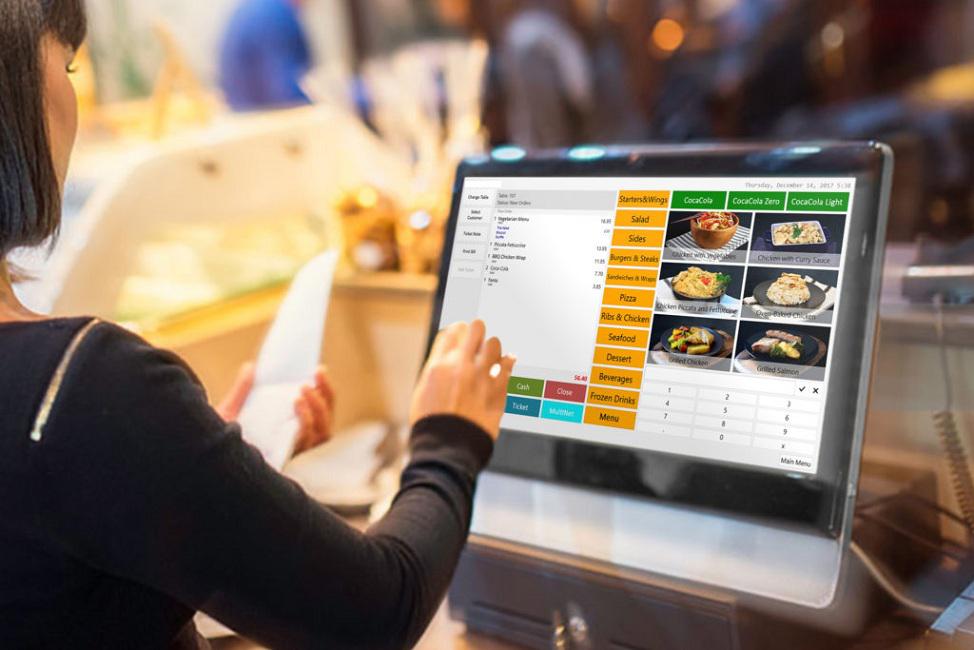

Running a busy office cafeteria in India? A good POS system makes daily meals fast, cashless, and easy to manage. It cuts long lines, tracks food sales, and helps control costs. In 2026, top systems offer payroll links, pre-orders, and smart reports. This guide shows the best options for companies in India. We base it on deep research, user reviews from offices, and expert testing of features like speed, security, and ease.
As pros in business tech for food services, we review POS tools every year. We know what works for Indian offices – from small teams to big firms with many locations. You can trust this list for real help in picking the right one.
Why Your Office Cafeteria Needs a Good POS System
Office cafeterias serve hundreds of employees daily. Without a smart POS, you face slow checkouts, cash handling issues, food waste, and hard-to-track sales.
A modern POS fixes this. It lets employees pre-order via app, pay with UPI or payroll deduction, and get quick service. It tracks inventory to avoid running out of popular items. Reports show what food sells best, so you plan better menus.
In India, cashless is key. Good systems support GPay, PhonePe, cards, and employee subsidies. They also help with GST reports and reduce theft.
Key Features to Look for in Office Cafeteria POS
Here are the must-have things:
- Cashless Payments: UPI, cards, wallets, payroll deductions.
- Employee App or Pre-Order: Let staff order ahead and get alerts.
- Digital Menu with QR Codes: Show daily specials, prices, nutrition.
- Inventory Tracking: Real-time stock updates to cut waste.
- Payroll Integration: Auto-deduct meal costs from salary.
- Offline Mode: Works without internet during rush hours.
- Reports and Analytics: Sales, profit, popular items.
- Multi-Location Support: One dashboard for many offices.
- Self-Checkout Kiosks: Fast for busy lunch times.
- Security: SSL encryption, daily backups.
These features make life easy for cafeteria staff and happy for employees.
Top 10 Best POS Systems for Corporate Office Cafeterias in India 2026
We picked these based on features, user feedback from Indian companies, ease of use, and value. All support quick setup and discreet service.
- Canteen POS - Top pick for offices. Hardware-free, works on any tablet or phone. Features pre-orders, free employee app, cashless with digital wallet, AI menu designer, nutrition tracking, meal subscriptions. Pros: No extra hardware, offline mode, strong reports. Cons: Advanced plan needed for full features. Great for reducing queues and waste.
- MealPe - Cloud-based for corporate dining. Handles multiple vendors, payroll deductions, demand forecasting, auto-invoicing. Pros: Cuts costs, AI planning, no hardware needed. Cons: Best for larger setups. Popular for wellness focus.
- ARBA Retail Systems - Strong payroll deduction with ID badges. Inventory, meal planning, cashless. Pros: Contactless, boosts employee satisfaction. Cons: May need setup help. Good for big firms.
- Petpooja - India-focused with billing, inventory, reports. Easy for cafeterias. Pros: Local support, customizable. Cons: More for restaurants but works well.
- Restroworks - Cloud POS with bulk menu updates, strong billing. Pros: Reliable reports, scalable. Cons: Learning curve for advanced tools.
- PosBytz - Accounting link, profit reports, multi-payments. Pros: Good for tracking costs. Cons: Menu setup takes time.
- Lightspeed - Flexible for multi-location, inventory sync. Pros: Scalable, good interface. Cons: Higher cost.
- Square - Simple, mobile-friendly, cashless. Pros: Easy start, low cost. Cons: Less cafeteria-specific.
- GoFrugal - Billing, loyalty, inventory. Pros: Versatile for India. Cons: Needs training.
- SMG Canteen Management - Biometric/ID options, payroll data export. Pros: Secure, multi-location. Cons: Hardware may be needed.
Office Catering POS Systems help manage daily employee meals smoothly.
School Cafeteria POS Systems share many features but focus more on students.
How to Choose and Set Up Your POS
- Know your needs – size of office, daily meals, budget.
- Check payroll link if you give meal subsidies.
- Test demo or free trial.
- Look for Indian support and GST compliance.
- Train staff – most are easy after setup.
Common Mistakes to Avoid
- Picking cheap but slow systems – causes long lines.
- Ignoring offline mode – internet issues hurt sales.
- Skipping employee app – misses pre-orders.
- Not training team – leads to errors.
Conclusion
The best POS for your corporate office cafeteria saves time, money, and hassle. It makes meals better for employees and easier for you. Focus on cashless, pre-orders, and reports.
For a top choice with zero hardware hassle and great features, check Canteen POS.
FAQ
What is the best POS for small office cafeterias? Canteen POS Lite or Square – simple, low cost, no hardware needed.
Does it support payroll deductions? Yes, top ones like Canteen POS, MealPe, and ARBA link to salary for easy meal costs.
Can it work without internet? Many have offline mode, like Canteen POS, so sales record and sync later.
How much do these systems cost? Starts free or low for basic, ₹5,000–₹20,000/month for advanced with full features.
Is delivery private for setup? No hardware means quick online start. Software is cloud-based.
Do they track nutrition info? Yes, many show calories and ingredients for healthy choices.
Can employees pre-order meals? Yes, via free apps or QR codes – reduces wait time.
What payments are accepted? UPI, cards, wallets, digital wallets, payroll – all cashless.
How do they help reduce food waste? Inventory tracking and demand forecasting plan exact amounts.
Is support good in India? Top providers offer local help, chat, and phone support.

You Might Like Also
Best POS Systems for Corporate Office Cafeterias in India
How to Choose the Right POS for Office Canteen Management




